The RFWEL Forums are now archived. All threads and discussions are preserved here for reference. New posts, replies, and comments are no longer accepted. For support or enquiries, please visit our Knowledge Base or Contact Us.
Troubleshooting XL824 Wi-Fi Connectivity
This thread is part of the RFWEL Forums Archive. It is preserved here for reference and is no longer open for new replies or comments.
⌕
Pageof 1‹›⌗ Filter ▾
K
Kyle
New Member
Join Date: Apr 2021
Posts: 1
04-20-2021, 01:25 PM
#1
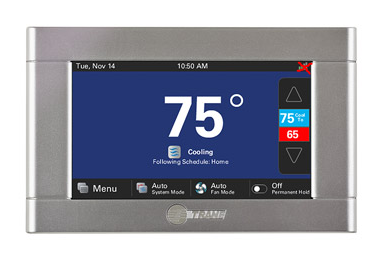
I have a Trane XL824 Thermostat (https://shop.rfwel.com/trane-xl824-p...fi-thermostat/) that has been working just fine until today. Right now, the network has a red X and I cannot connect to Wi-Fi. Do I have to get another one? If not, how can I fix this?
To resolve this, please follow the instructions outlined below.
Check to ensure the thermostat is on a secure Wi-Fi network, it requires a password or security key to connect. Proceed to the second step if it is on a secure network. Otherwise, please connect to a secure network and check if the issue is resolved.
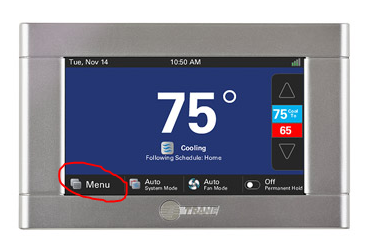
Press Menu > Settings > Network > Connect to Wi-Fi network and select the network you want the thermostat to join. Enter the password for the network. Please note that the thermostat will not connect if the wrong password is entered.
Verify that you are using the correct password since the thermostat may fail to connect because of a wrong password.
If your phone reconnects to the Wi-Fi network, please reboot the thermostat by pressing Menu > Settings > Reboot and attempt to connect to Wi-Fi again once the thermostat is back to its normal screen.
In case the thermostat still fails to connect to Wi-Fi, you can enable the hotspot and connect the thermostat to this network. If the thermostat connects at this time, then there is an issue within your network and you will need to contact your Internet Service Provider to confirm whether DHCP is enabled and MAC filtering is disabled.