RFWEL
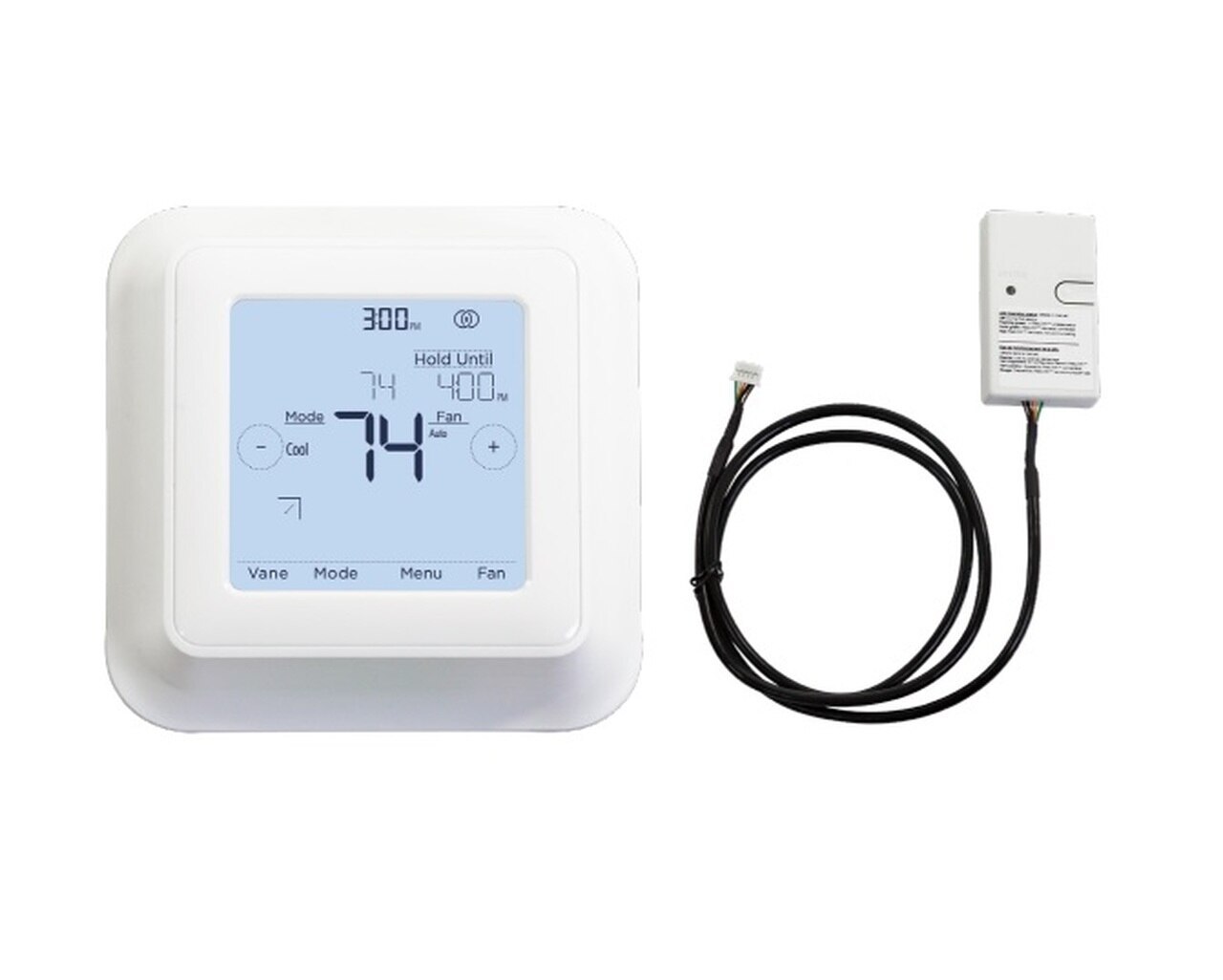
ForumHVAC Wireless ControlsWireless ThermostatsMitsubishi Electric Kumo Touch MHK2 RedLINK Wireless Thermostat & Receiver Kit
The RFWEL Forums are now archived. All threads and discussions are preserved here for reference. New posts, replies, and comments are no longer accepted. For support or enquiries, please visit our Knowledge Base or Contact Us.

Mitsubishi Electric Kumo Touch MHK2 RedLINK Wireless Thermostat & Receiver Kit

This thread is part of the RFWEL Forums Archive. It is preserved here for reference and is no longer open for new replies or comments.
Pageof 1⌗ Filter ▾
W
Williamson19
New Member
Join Date: Apr 2020
Posts: 2
04-12-2020, 04:14 AM
#1

Can the new MHK2 Thermostat kit (https://shop.rfwel.com/kumo-touch-mh...-receiver-kit/) & The Kumo cloud work together on the same indoor unit with the PAC-USWHS002-WF-2 wireless Interface 2 https://shop.rfwel.com/mitsubishi-el...ace-control-2/? I would like to replace the MHK1 & wanted to confirm if this is a viable option, the additional functionality of being able to control the indoor unit remotely while using the MHK2 would be a significant upgrade.

MHK2 diagram

Last edited by Guest; 04-23-2020, 04:52 PM.

Tags: None
A
Amos
Guest
Join Date: Apr 2020
Posts: 7
04-23-2020, 04:45 PM
#2

Yes, the PAC-USWHS002-WF-2 Wireless Interface and MHK2 Thermostat kit can be used concurrently on the same indoor unit. The Kumo Cloud Wireless interface 2 (PAC-USWHS002-WF-2) comes with a second CN105 connector which allows you to hook up the MHK2 or MHK1 thermostat.

Given the improved indoor unit function code list, compatibility, full programmability, and better wall profile of the MHK2, indeed that makes it a viable replacement and/or upgrade to the MHK1 thermostat kit.

Please note that the MHK2 uses RedLINK 3.0 wireless technology offering better connectivity with Kumo Cloud. This wireless technology does not allow the MHK2 to work with the MHK1's accessories i.e. MCCH1, MOS1, and RedLINK 2.0 Gateway (THM6000R7001) as MHK1 uses RedLINK 2.0 wireless technology.

Last edited by Guest; 04-23-2020, 04:54 PM.

Tags: None
S
sterby44
New Member
Join Date: Jun 2020
Posts: 2
06-09-2020, 10:36 AM
#3

Hi,

Thank you for this information. I have a few Questions regarding your below statements.

Originally posted by Amos
Given the improved indoor unit function code list, compatibility, full programmability, and better wall profile of the MHK2, indeed that makes it a viable replacement and/or upgrade to the MHK1 thermostat kit. Please note that the MHK2 uses RedLINK 3.0 wireless technology... MHK1 uses RedLINK 2.0 wireless technology.

If I have existing MHK1 kits installed on my units would adding the PAC-USWHS002-WF-2 Wireless Interface allow me to use Kumo Cloud App and my MHK1 thermostats?

If using the MHK1 and Wireless Interface Control 2, does the MHK1 still connect using the Honeywell RedLINK Internet Gateway?

I don't have any MHK1 accessories yet, but I am interested in getting the MOS1 to pair with my setup. Would my MHK1 and accessories such as MOS1 be compatible use the Wireless Interface Control 2, even though MHK1 accessories aren't compatible with MHK2?

Trying to determine what the best way is for me to upgrade my system so I can use the kumo cloud app along with my MHK1's, without going broke in the process! Honeywell TCC app is rather underwhelming in my current setup.

Thanks in advance for any input and suggestions!

Tags: None
Guest
Guest
Join Date:
Posts: 0
06-09-2020, 01:09 PM
#4
Originally posted by sterby44
If I have existing MHK1 kits installed on my units would adding the PAC-USWHS002-WF-2 Wireless Interface allow me to use Kumo Cloud App and my MHK1 thermostats?

Absolutely, this will allow you to use the Kumo Cloud app and the MHK1 thermostats simultaneously. Perhaps, you will need to detach the MIFH1 from your indoor unit and connect the PAC-USWHS002-WF-2. Then connect the MIFH1 of the MHK1 kit to the extra CN105 port on the wireless interface 2.

Originally posted by sterby44
If using the MHK1 and Wireless Interface Control 2, does the MHK1 still connect using the Honeywell RedLINK Internet Gateway?

Yes, you will still connect using the Honeywell RedLINK Internet Gateway.

Originally posted by sterby44
Would my MHK1 and accessories such as MOS1 be compatible use the Wireless Interface Control 2, even though MHK1 accessories aren't compatible with MHK2?

Yes, Wireless Interface 2 is compatible with both the MHK1 and MHK2. In regards to the accessories compatibility, the MHK2 discriminates all accessories by MHK1 due to RedLink 3.0 Technology used.

With the MHK1 kits in place, you may consider adding the Wireless interfaces only and be able to monitor and control your units via Kumo Cloud App. This substantially saves you the additional cost of upgrading to the MHK2s while rendering the MHK1s unuseful.

Last edited by Guest; 06-10-2020, 06:01 PM.

Tags: None
A
ahhh
New Member
Join Date: Jul 2025
Posts: 1
07-03-2025, 08:32 AM
#5

I currently have an MHK2 set up with the MIFH2 going straight to the split unit's motherboard. I see that the wireless interface 2 has to plug into the motherboard first and the I plug the MIFH2 into the wireless interface. Do I have to reset and disconnect my MHK2 and MIFH2 before plugging it into the wireless interface?

I see instructions on how to set up brand new MhK2, but not sure how to connect my existing MHK2 to the wireless interface.

Mitsubishi Wireless (Wi-Fi) Interface 2 (PAC-USWHS002-WF-2) Setup

Tags: None
L
Lameck
Wireless Guru
Join Date: Apr 2020
Posts: 65
07-03-2025, 12:58 PM
#6

This is addressed here. You need to power off and disconnect the MHK2 before plugging in the PAC-USWHS002-WF-2 wireless interface.

Tags: None